

Media Cleaner Pro 7.0.4
Original price was: $49.99.$9.99Current price is: $9.99.
Media Cleaner Pro 7.0.4 detects unused and useless files from your WordPress. It cleans your Media Library and your Uploads Directory. WordPress Media Cleaner Pro is the only tool that is able to perform all those tasks and we are working hard to keep it always up to date. Itscans your entire filesystem, detects unused files with pinpoint accuracy, and lets you clean everything safely with trash support. WP-CLI integration handles massive libraries, and 90+ plugin integrations ensure nothing important gets touched. Reclaim your disk space now! 🥰
Media Cleaner Pro 7.0.4 Overview:
Media Cleaner Pro 7.0.4 detects unused and useless files from your WordPress. It cleans your Media Library and your Uploads Directory. WordPress Media Cleaner Pro is the only tool that is able to perform all those tasks and we are working hard to keep it always up to date. Itscans your entire filesystem, detects unused files with pinpoint accuracy, and lets you clean everything safely with trash support. WP-CLI integration handles massive libraries, and 90+ plugin integrations ensure nothing important gets touched. Reclaim your disk space now! 🥰
Media Cleaner Pro 7.0.4 features:
Identifies Unused Files: Scans your WordPress database to find media files and image variations that are not used in any posts, pages, widgets, or custom fields.
Internal Trash: Files flagged for deletion are first moved to an internal “trash” feature, allowing you to preview and restore them if anything was accidentally marked as unused.
Fixes Broken Entries: Helps in fixing broken media entries where the database record exists but the physical file is missing from the server.
Compatibility: Uses smart analysis to ensure compatibility with a wide range of themes and plugins. The Pro version offers enhanced support for complex page builders like Elementor, Divi, and WPBakery.
Filesystem Scan (Pro): The premium version can directly scan your physical /uploads directory to find orphaned files not registered in the media library.
Live Site Scan (Pro): Analyzes the online version of your website for more accurate detection of image usage.
How to Use Media Cleaner
Backup Your Site: Before running any media cleaner plugin, it is crucial to create a full backup of your website’s files and database to prevent accidental data loss. You can use backup plugins like Duplicator or UpdraftPlus for this purpose.
Install and Activate: Install and activate the Media Cleaner plugin from the official WordPress Plugin Directory.
Access the Dashboard: Go to Meow Apps -> Cleaner in your WordPress admin sidebar.
Run a Scan: From the plugin interface, you can start a scan of your media library and content.
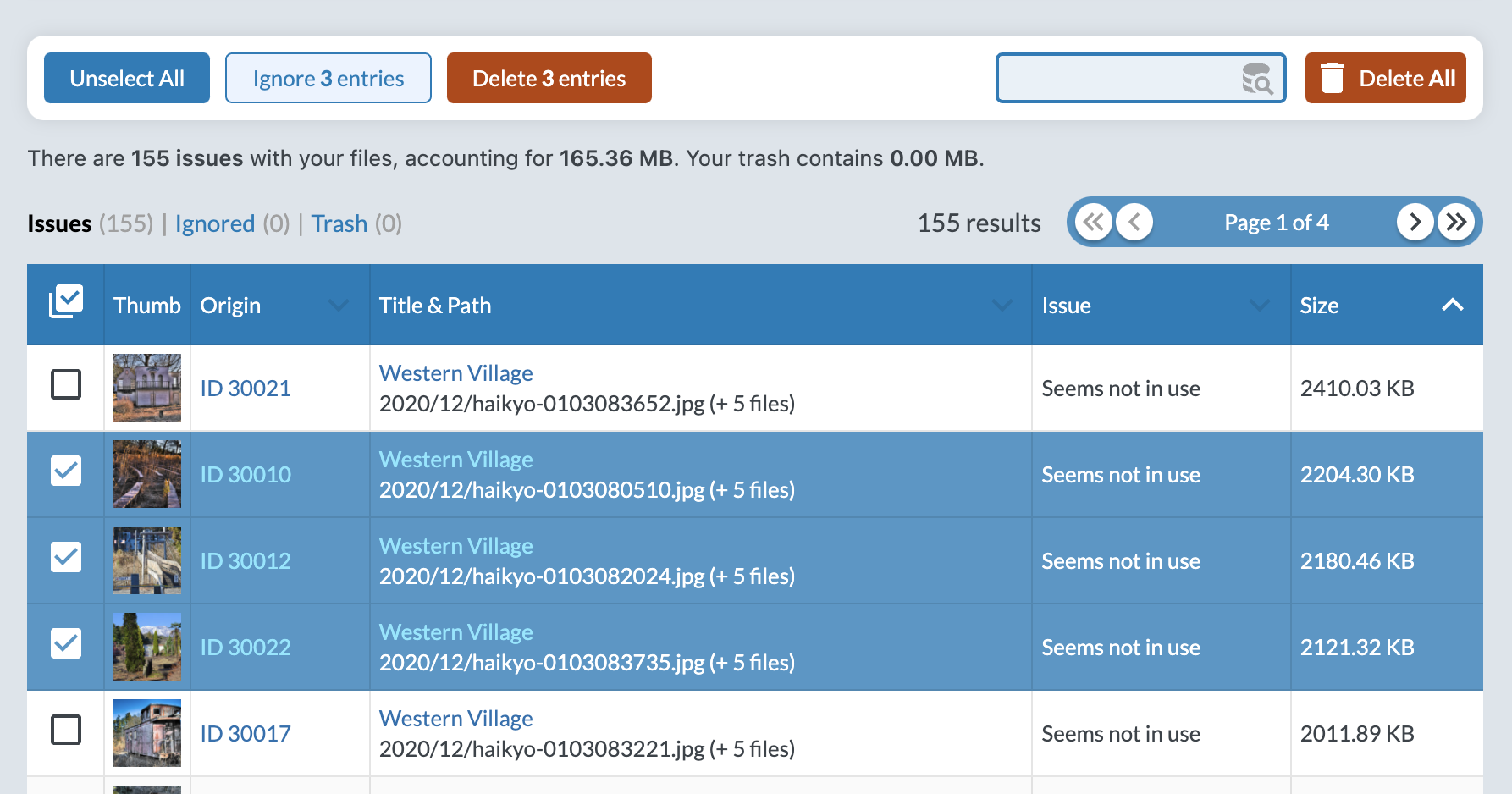
Review and Delete: The plugin will present a list of files identified as unused. You can review these files and then choose to move them to the internal trash or delete them permanently.
Empty the Trash: After verifying your site still functions correctly, you can empty the plugin’s trash to free up server space.
Regularly cleaning your media library helps free up server space, reduces backup sizes, and can improve your website’s overall backend performance