

G-Business Extractor 5.2.0
Original price was: $89.00.$25.00Current price is: $25.00.
G-Business Extractor 5.2.0 is a powerful tool to help you find leads on Google Maps. This software will search and find business information such as website, email addresses, phone, fax, and more.
Purchase this file by itself or get access to our entire 10,000 files for one low monthly fee by subscribing to one of our Intelprise ALL ACCESS membership plans.
| Developer: | Estrattoredati |
|---|---|
| Version: | 5.2.0 |
| Updated On: | February 19, 2021 |

G-Business Extractor 5.2.0
G-Business Extractor is a powerful tool to help you find leads on Google Maps.
Google Maps is the source where you can find millions of leads by category and location. You can search for your target keywords in your locations. This software will search and find business information such as website, email addresses, phone, fax, etc…
HOW TO EXTRACT DATA WITH G-BUSINESS EXTRACTOR
STEP 1. Download and Install G-Business Extractor on your computer. (It supports all Windows SO 64-bit)
This is the program’s main interface:
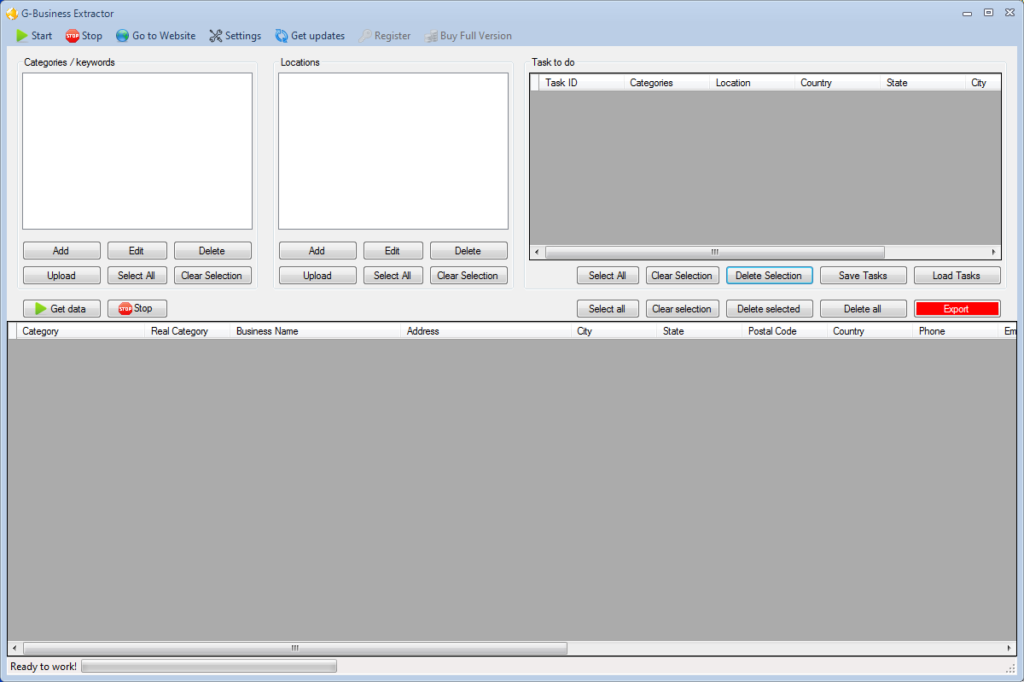
STEP 2. Select the category and location that you desire to scan.
Click ADD button to add the category and the desired Location, from the top-left of the main interface.
About “location” windows, you will be able to select the Country, State, City and ZIP CODE:
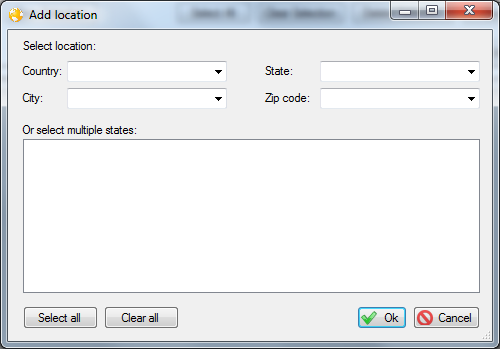
Before starting the scan, click SETTINGS –> Data and set the data to export. If you desire to extract more email address please select the box “Extract emails from websites” as shown in figure below:
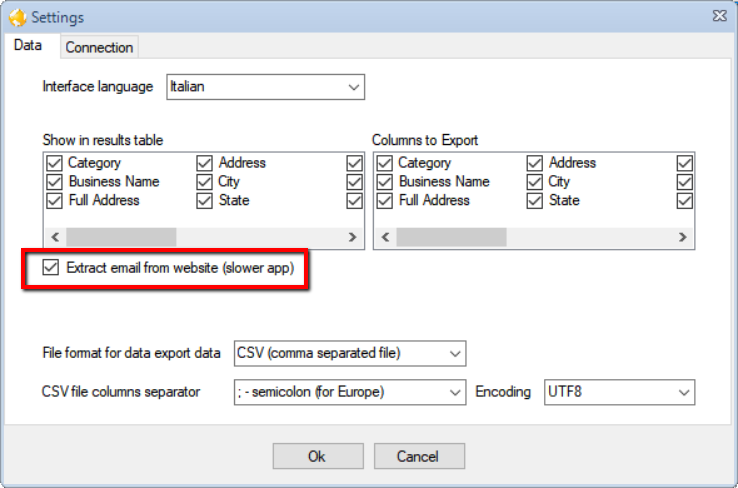
Click OK to return to the mail interface.
STEP 3. Click on “GET DATA” button  to start capturing data
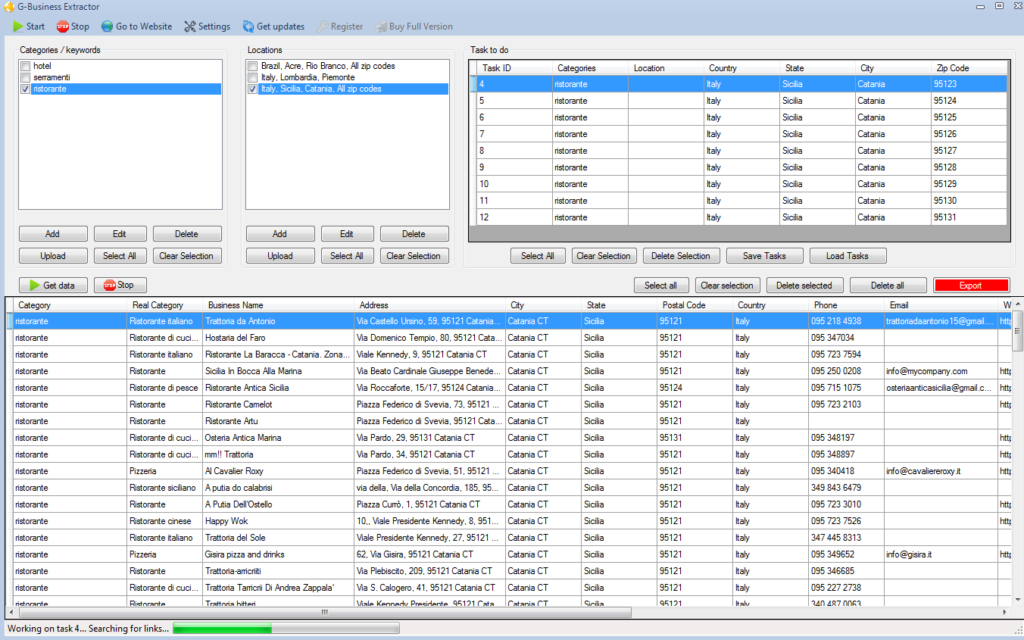
STEP 4. Click on “Select All” button and then on “Export Data” to extract all info in csv files. That’s all!!