

Smart Admin Assistant Pro 1.4.0 WordPress Admin Dashboard Plugin
$49.99 Original price was: $49.99.$9.99Current price is: $9.99.
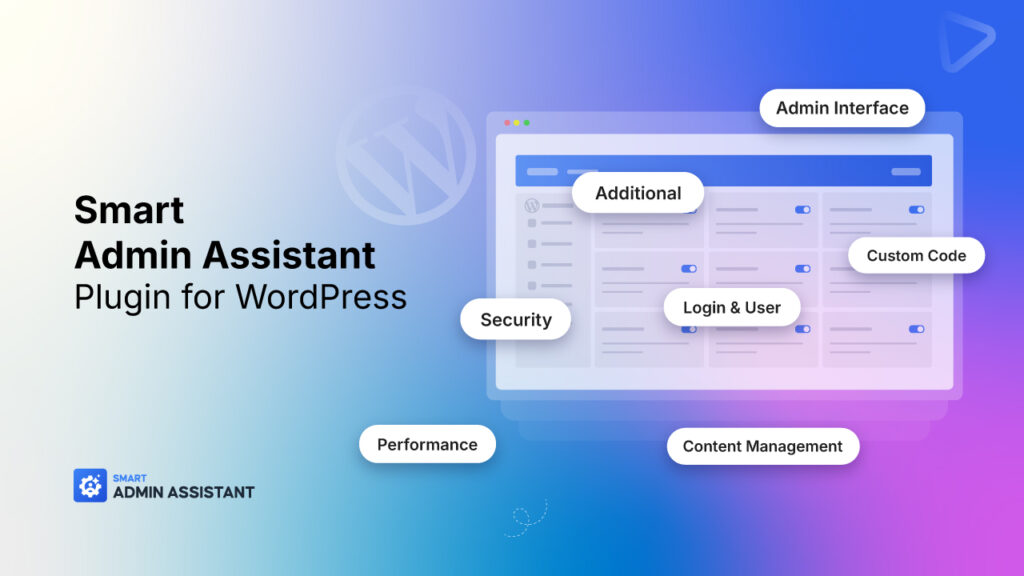
Smart Admin Assistant Pro 1.4.0 WordPress Admin Dashboard Plugin is a next-generation WordPress admin enhancement plugin that helps you customize, optimize, secure, and simplify your wp-admin experience. Smart Admin Assistant gives you full control over the WordPress backend — from admin bar and dashboard tweaks to login protection, content duplication, and beyond.
Smart Admin Assistant Pro 1.4.0 WordPress Admin Dashboard Plugin Overview
Smart Admin Assistant Pro 1.4.0 WordPress Admin Dashboard Plugin is a next-generation WordPress admin enhancement plugin that helps you customize, optimize, secure, and simplify your wp-admin experience. Smart Admin Assistant gives you full control over the WordPress backend — from admin bar and dashboard tweaks to login protection, content duplication, and beyond.
- Admin Bar Customization
- Hide Admin Bar in Admin Area Completely disable the admin bar for all users inside wp-admin. Ideal for minimalists who prefer a cleaner workspace.
- Hide Admin Bar on Frontend Remove the admin toolbar when logged-in users view the site’s frontend. Perfect for client-facing sites or custom frontends.
- Remove Default Items Clean up clutter by removing unnecessary default WordPress items from the admin bar — like “New Post”, “Comments”, “Customize”, etc.
- Remove Plugin Items Hide unwanted admin bar items added by plugins to declutter the interface.
- Why It Matters: Streamlines workflow, improves visibility, and gives you a distraction-free admin experience.
2. UI Enhancements
- Show Active Plugins First Prioritize active plugins at the top of the plugins list for easy management.
- User Role Classes (Frontend) Adds user role classes to the tag — great for role-based styling.
- User Role & ID Classes (Admin) Adds role, username, and user ID as classes in admin body for advanced CSS targeting
- Enhanced UI Experience (Pro) Unlocks infinite scrolling, improved layouts, and smoother navigation.
- Why It Matters: Improves usability and gives developers more styling control.
3. Dashboard Customization
- Widget & Layout Customization (Pro) Reorder, remove, or customize dashboard widgets. Personalize the admin dashboard for your workflow.
- Why Upgrade: Gives agency owners and developers control over the first impression clients see in wp-admin.
4. Admin Menu Customization
- Menu Reordering, Renaming, and Hiding (Pro) Tailor the admin menu to fit your client’s needs or your own. Rename confusing labels, reorder sections, and hide unwanted items.
- Use Case: Create a white-labeled WordPress admin for clients or teams.
5. Admin Notices Management
- Hide All Admin Notices Remove all those nagging update, review, or promotional notices across wp-admin. Keeps your admin clean and peaceful.
- Why It Matters: Focus on actual work, not on endless plugin alerts.
6. List Table Enhancements
- Custom Columns & Advanced Table Features (Pro) Add custom columns to post, user, or media lists. Enable sorting, filtering, and quick views
- Why Upgrade: Perfect for sites managing lots of posts, users, or eCommerce products.
7. Footer Customization
- Custom Footer Text Replace “Thank you for creating with WordPress” with your own text or shortcode.
- Hide WordPress Version Remove the version number for a cleaner look and added security.
- Use Case: Ideal for agencies who want to white-label wp-admin for clients.
8. General Settings
- Insert Custom CSS, JS, HTML, and PHP (PHP optional) Add custom code snippets directly from the admin.
- Advanced Code Management (Pro) Add minification, conditional snippets, and PHP execution safely.
9. CAPTCHA Protection
- Login Form CAPTCHA Add CAPTCHA to the login form to block automated bots.
- Comment Form CAPTCHA Add CAPTCHA to comments (optional for logged-in users).
10. Magic Login (Passwordless)
- Passwordless Authentication Users receive a secure login link via email — no passwords required.
- Why It Matters: Increases login convenience and reduces password fatigue.
11. Login Page Customization
- Custom Login Page (Pro) Change logo, colors, and styles of the WordPress login page.
12. User Tracking & Columns
- Detailed User Analytics (Pro) Track login activity, user behavior, and add custom user columns.
13. Logout Redirects
- Role-Based Logout Redirects (Pro) Redirect users to specific pages after logout depending on their role.
14. Revision Control
- Limit Revisions Control how many revisions WordPress stores per post to save database space.
15. Heartbeat API Management
- Throttle or Disable Heartbeat API Control the frequency of the Heartbeat API to reduce server load.
16. Database Optimization
- One-Click Optimization Clean up post revisions, transients, and other unnecessary data. Keeps the database lean and fast.
17. Caching & Loading
- Enable Caching & Compression Turn on resource caching, compression, and loading optimizations for faster site performance.
18. Login Protection
- Limit Login Attempts & Block IPs Protect against brute-force attacks by blocking IPs after failed login attempts.
19. Password Protection
- Site-Wide Password Access Require a global password to access the site. Ideal for staging or private projects.
20. Login Restrictions
- Restrict Login Method Force login by username only or email only — not both.
21. Email Obfuscation
- Protect Email Addresses Hide plain-text emails from bots while keeping them functional for real users.
22. Security Headers
- Add Security Headers Automatically insert HTTP headers like X-Frame-Options, Content-Security-Policy, etc.
23. WordPress Hardening
- Hide WordPress Version Everywhere
- Remove Meta Tags (RSD, WLW, Shortlink)
- Disable File Editing
- Disable XML-RPC
- Why It Matters: Strengthens your WordPress installation against common exploits and footprint scanners.
24. Media Management
- SVG Uploads (Sanitized) Allow SVG upload safely with sanitization.
- AVIF Support Upload modern AVIF image formats to reduce size without losing quality.
- Role-Based SVG Permissions (Pro)
- Advanced File Management (Pro)
25. Security Monitoring
- Dashboard Security Status
- View Security Logs See login attempts and recent security events directly from the dashboard.
26. Gutenberg Editor Control
- Completely Disable Gutenberg Revert to the Classic Editor for all post types.
- Selective Gutenberg Control Disable Gutenberg only for specific post types (Posts, Pages, Media, etc.)
27. Comments System Control
Free Feature
- Completely Disable Comments Turn off the entire comment system globally.
- Selective Comment Control Disable comments on specific post types.
- Auto-Close Comments Automatically close comments on older posts after a certain number of days.
28. External Links
- Force External Links to New Tab Automatically add target=”_blank” and rel=”noopener noreferrer” to external links.
- AVIF Support Upload modern AVIF image formats to reduce size without losing quality.
- External Permalinks & SEO Tools (Pro) Manage redirects and external URLs directly.
29. Content Optimization
- Auto-Generate Excerpts Automatically create excerpts for posts that don’t have one.
30. Content Ordering
- Drag & Drop Reordering (Pro) Rearrange posts, pages, or custom post types manually.
31. Scheduled Posts
- Fix Missed Schedules Automatically trigger and publish missed scheduled posts on site visits.
32. IP Management
- Manual IP Blocking Block IPs manually for a specified duration.
- View Logs & Blocked IPs Monitor blocked IPs, clear blocks, and refresh statistics.
33. Custom Login URL
- Change Login Slug Replace /wp-login.php with a custom slug like /admin-access. Adds a layer of obscurity against bots and brute-force attempts.
34. Content Duplication
- One-Click Duplication Duplicate posts, pages, or CPTs — including taxonomies and post meta.
35. Code Snippets Management
- Import / Export Snippets
- Add, Edit, Enable/Disable Custom Snippets
36. SMTP Configuration
- Email Delivery Configuration (Pro) Setup SMTP to improve email reliability from WordPress.
37. Maintenance Mode
- Maintenance Page for Non-Admins Show a friendly maintenance message while admins continue working.
38. System Information
- Full System Diagnostics Displays key environment details: PHP, MySQL, WP versions, limits, etc.
- Copy to Clipboard Quickly copy info for support or debugging.
39. Custom Avatars
- Custom User Avatars Let users upload profile images instead of using Gravatar.
40. Role Switching
- Switch Roles Temporarily Admins can test site behavior as other roles.
41. Image Sizes Panel
- Manage Image Sizes View and manage all registered image sizes in your WordPress setup.
42. Advanced User Management
- Extended User Profiles Add custom fields and data to user profiles for richer user management.
Smart Admin Assistant Pro 1.2.1 WordPress Admin Dashboard Plugin
- Smart Admin Assistant Pro
- Smart Admin Assistant Pro 1.4.0
- Smart Admin Assistant Pro 1.4.0 baixar
- Smart Admin Assistant Pro 1.4.0 cracked
- Smart Admin Assistant Pro 1.4.0 download
- Smart Admin Assistant Pro 1.4.0 free
- Smart Admin Assistant Pro 1.4.0 free download
- Smart Admin Assistant Pro 1.4.0 gratis
- Smart Admin Assistant Pro 1.4.0 NULL
- Smart Admin Assistant Pro 1.4.0 nulled
- Smart Admin Assistant Pro baixar
- Smart Admin Assistant Pro cracked
- Smart Admin Assistant Pro download
- Smart Admin Assistant Pro free
- Smart Admin Assistant Pro free download
- Smart Admin Assistant Pro gratis
- Smart Admin Assistant Pro nullSmart Admin Assistant Pro nullSmart Admin Assistant Pro nulled
- Smart Admin Assistant Pro torrent
- WordPress Admin Dashboard Plugin