

Vitepos Pro 3.4.0 Point of sale (POS) Plugin for WooCommerce
Original price was: $49.99.$9.99Current price is: $9.99.
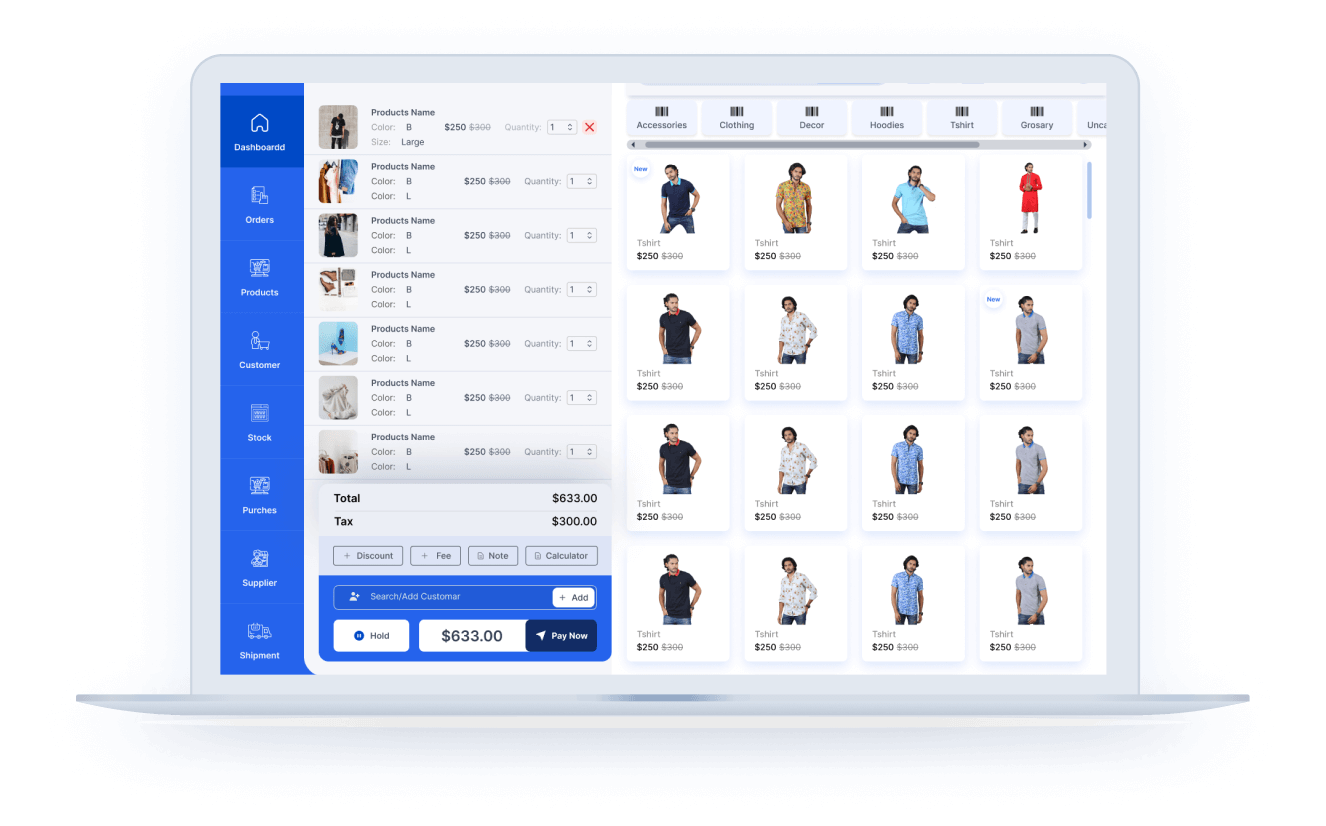
Vitepos Pro 3.4.0 Point of sale (POS) Plugin for WooCommerce is a fast, modern Point of Sale (POS) solution for WooCommerce that turns your online store into a powerful retail system. It syncs products, customers, orders, and inventory in real time, works smoothly in browser-based terminals, and supports both online and physical sales. Ideal for shops, restaurants, and multi-branch retailers who need speed, accuracy, and scalability.
Vitepos Pro 3.4.0 Point of sale (POS) Plugin for WooCommerce Overview:
Vitepos Pro 3.4.0 Point of sale (POS) Plugin for WooCommerce is a fast, modern Point of Sale (POS) solution for WooCommerce that turns your online store into a powerful retail system. It syncs products, customers, orders, and inventory in real time, works smoothly in browser-based terminals, and supports both online and physical sales. Ideal for shops, restaurants, and multi-branch retailers who need speed, accuracy, and scalability.
It is a very fast and reliable point of sale (POS) plugin, Its fully responsive (mobile, tablet, laptop,desktop,large screen). It has been developed very latest technology also followed woocommerce development code standard. It as full customizable role management, you can create roles(cashier, manager) and set customizable permission to those roles. It has outlet and counter management, You can enable offline, hold cart. Product can be created by pos client (user friendly UI). Tax calculation based on outlet location. Also vendor and purchase module included. You can customize your invoice design. You can use default WordPress login or Vitepos built in login form. Also you can bind the pos into any page of your WordPress. So it can not be publicly open for all visitors. You can use any barcode device on it and if you use in mobile device then you don’t need any barcode reader device, it used mobile camera to scan barcode. It has also cash drawer management.
Vitepos Pro 3.4.0 Point of sale (POS) Plugin for WooCommerce Features:
- No Expensive Hardware
- Barcode Scan & Search Products
- Order Notes, Discounts & Customer
- Tax calculation based on outlet
- Customer in the Queue/Hold Cart
- Split Payment/Single Payment
- Print Receipts/Invoices
- Offline Data Store
- Easy UI & UX
- Keyboard Shortcuts
- Responsive all devices
- Multiple Color Choice
- Multiple Language Support
- Manage Products Easily
- Dynamically Update Product Stock
- Barcode Generator
- Cash Drawer Management
- Customer Management
- User / Staff Management
- Monthly Account Data Check
- Secured ACL – Access Control Level
- Outlet & Counter Management
- Customize Invoice or Receipt
- Based on REST API
- Customer Display
- Make Favorite Product
- Cash drawer log
- Set default customer
- Online order list
- Customized Discount


No Expensive Hardware
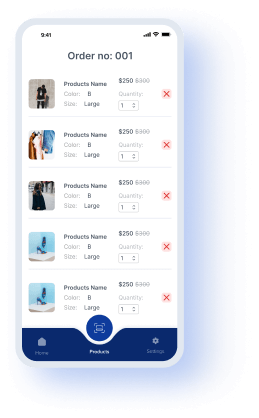
No expensive hardware is needed to operate Vitepos. Save money – use your current devices! The POS can be loaded onto any computer browser or mobile device.
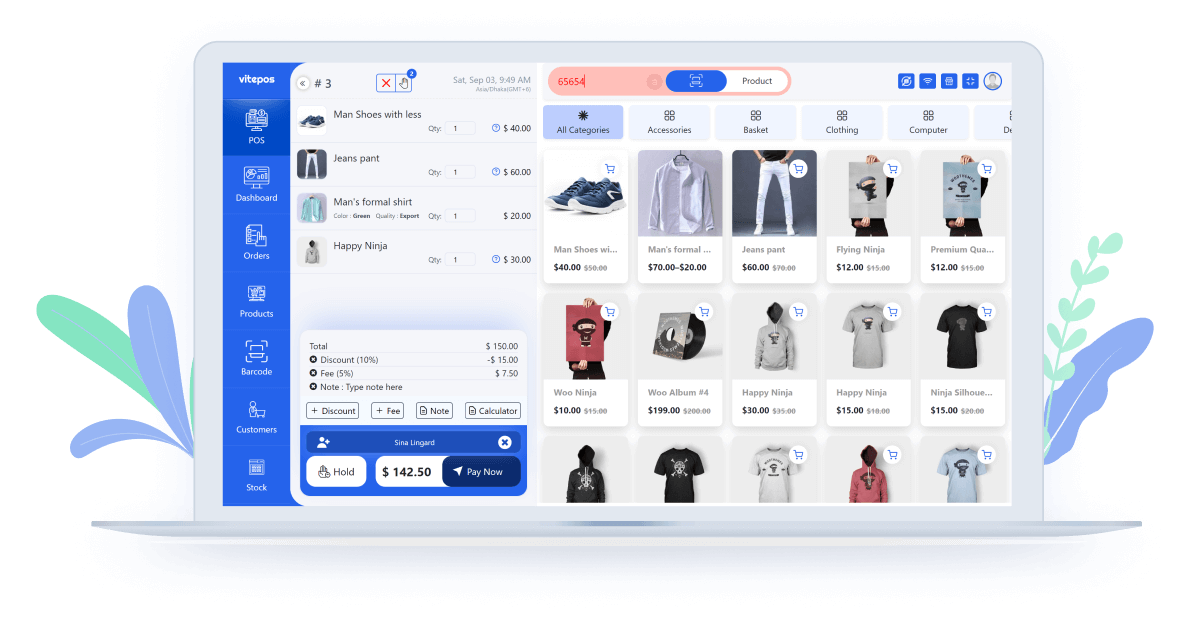
Barcode Scan & Search Products
For add products to cart you can scan product barcode by scanner or can search product. For small device you can use it’s camera to scan barcode of a product as well as you can search too.

Order Notes, Discounts & Customer
Your cashier can make easy discounts from the cart and can put out order notes about the order. Customer can be easily selected/added from cart panel. It is nice and easy operate for cashier.

Tax Calculation Based On Outlet

Customer in the Queue/Hold Cart
Vitepos has a customer queuing system where if any customer is taking time to make payments then you can send his/her cart details on hold options without losing data.

Split Payment/Single Payment
On checkout, you can use single or split payment using multiple methods. At a time you can take payment in cash, card and other payment methods as customers want to pay.
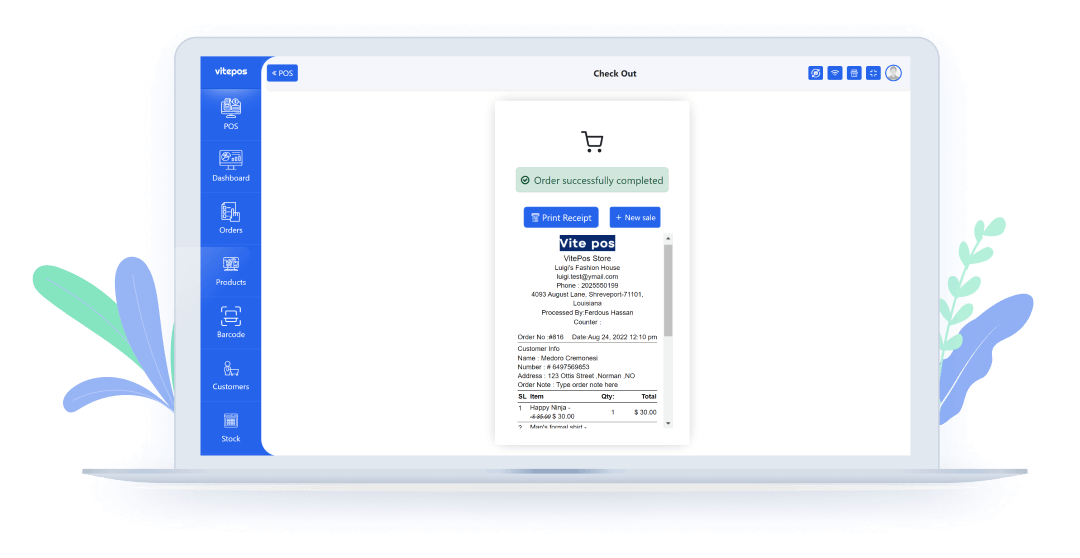
Print Receipts/Invoices
Vitepos provides you automatic & manual printing in a branded receipt format. The money receipt and invoices will really attract your customers. It is well descriptive and understandable.

Offline Data Store
Optimized and faster, capable of storing data locally and running without an internet connection. When the Internet returns, it can store data in the cloud again without any hassle or backup.
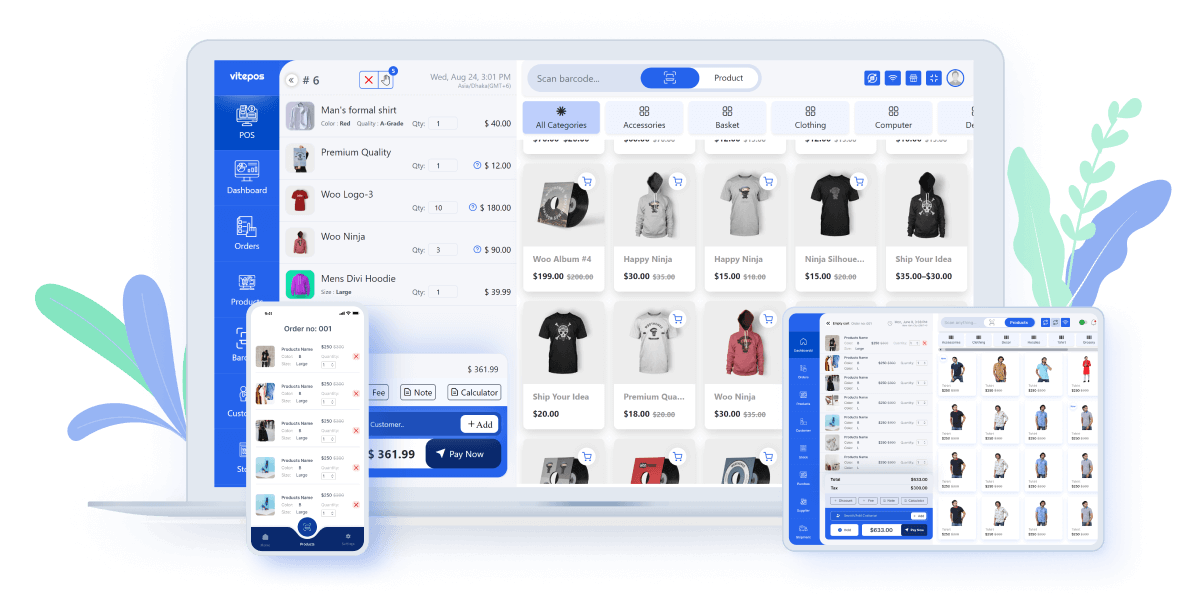
Easy UI & UX
Vitepos uses the most elegant and material design in its user interface. All the data is syncing in the blink of an eye. Any customer will fall in love with it’s attractive, user-friendly and nice design.

Keyboard Shortcuts
For making your work more easier and faster for that vitepos add some shortcuts. Using those shortcuts you can work so fast.
Responsive all devices
It is fully responsive , you can use it on any size of device. In tab and mobile device you can use built in camera to scan barcode.

Multiple Color Choice
It has multiple sets of the color screen you can choose your own favorite color from them.
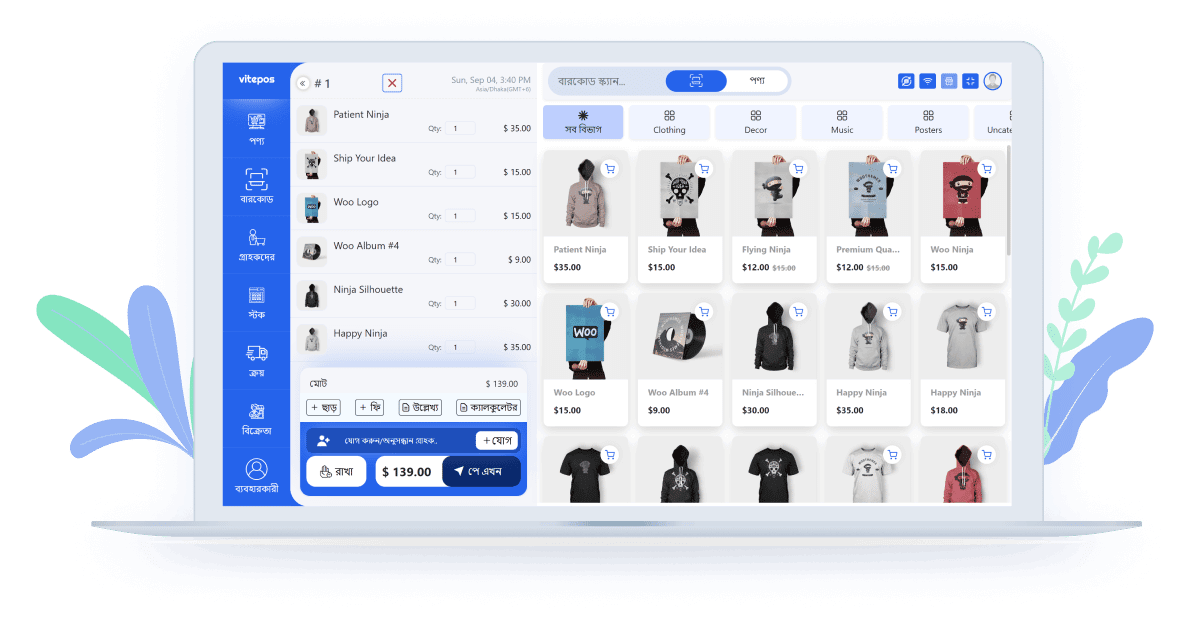
Any Language Supported
Manage Your store with your own language. VitePos is any language supported plugin. Also you can use LocoTranslate to translate Vitepos.

Manage Products Easily
Easy product manage is an unique feature of vitepos. You can easily add/edit simple and variable product with its amazing user friendly UI.
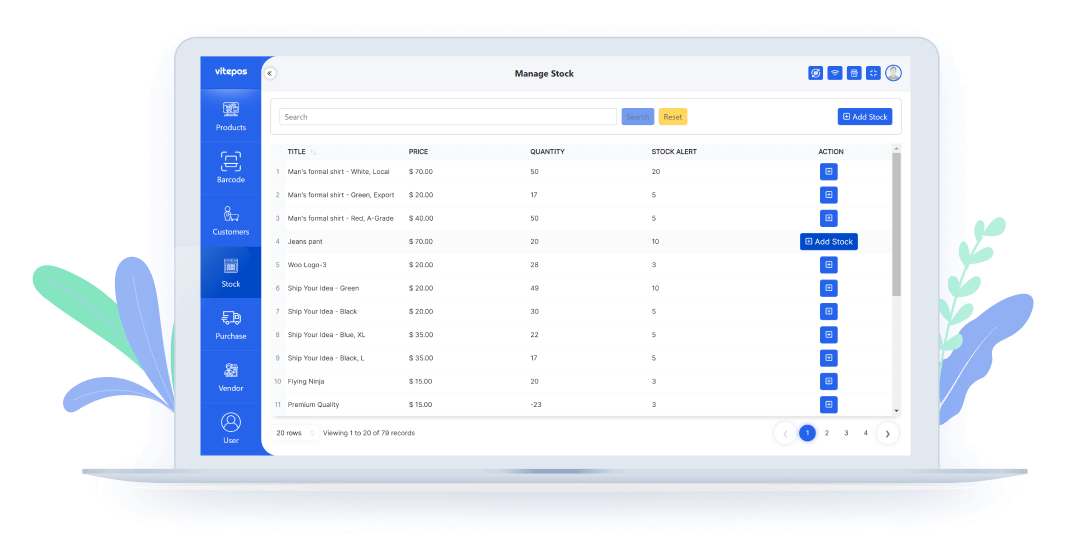
Dynamically Update
Product Stock
Purchase product / Update stock is a feature to update your inventory products with the details of updating . That’s means its well informed with the information of supplier and outlets.

HPOS Support
HPOS support refers to assistance and services provided for High-Performance Order Storage (HPOS) systems for WooCommerce. This support may include troubleshooting, guidance, and technical assistance to ensure the smooth functioning of HPOS systems for businesses.

RTL Support
RTL support, or right-to-left support, is a feature that enables the proper display and functionality of text and content in languages that are read from right to left. This is particularly important for languages such as Arabic, Hebrew, and Persian, where the natural reading direction is from right to left.

Withdraw From Cash Drawer
Withdrawing from the cash drawer involves the process of taking money out of the cash storage unit, typically performed by cashiers or authorized personnel for various transactions, making change, or handling financial activities within a business.

Barcode Generator (Unique feature)
Barcode Generator is Another unique and amazing feature of VitePOS. Easily you can generate and print barcodes with the price or without the price of any product using this module.

Cash Drawer Management
You can see the current cash drawer balance/order information. If you want, you can also close the cash drawer or can open a new cash-drawer.
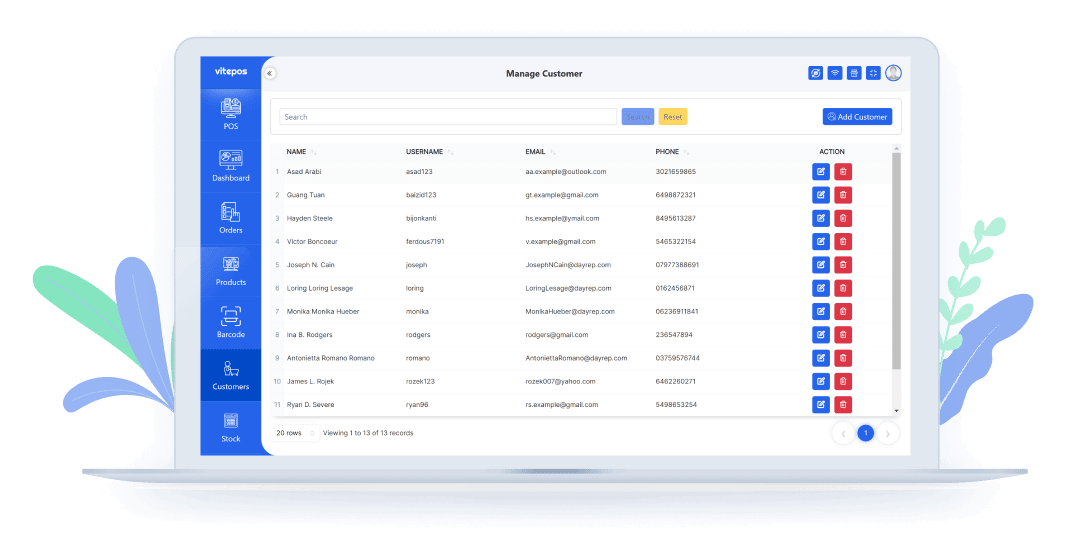
Customer Management
Manage all customers properties. You can add/edit, delete customers from the customer module. And also can select/add customer in order from cart panel.
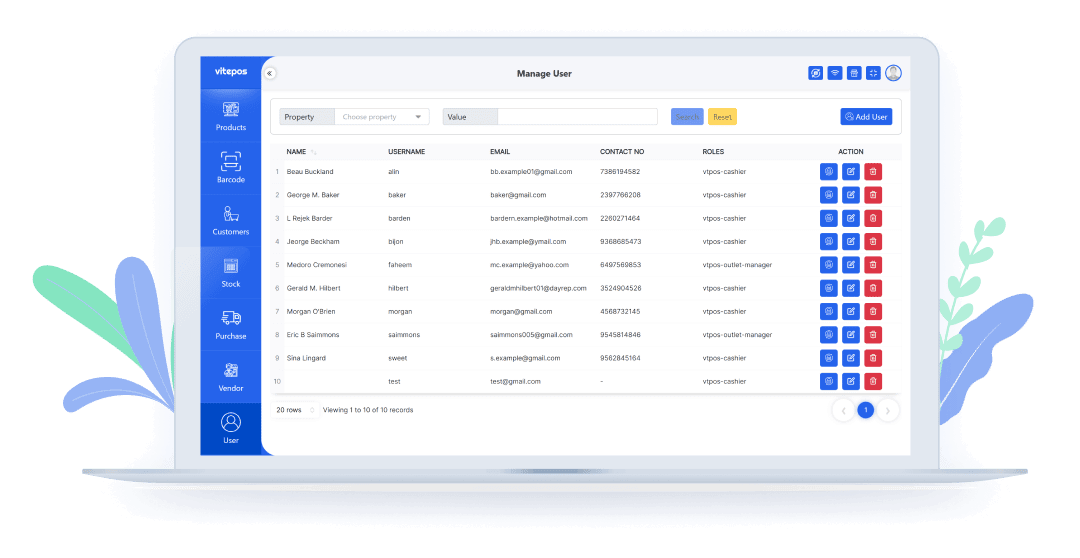
User / Staff Management
Add & edit users with the specific role, exp. Cashier, Manager, Store-Keeper, etc.

Monthly Account Data Check
Your account is in safe hands because Vitepos will take care of your store easily. At the end of the month, you can monitor product counts nicely and you will be able to see the amount of all the calculations through which you can understand your monthly expenses.

Secured ACL – Access Control Level
It has a unique ability to share user access levels or the power of your agents. Which is much better secured.
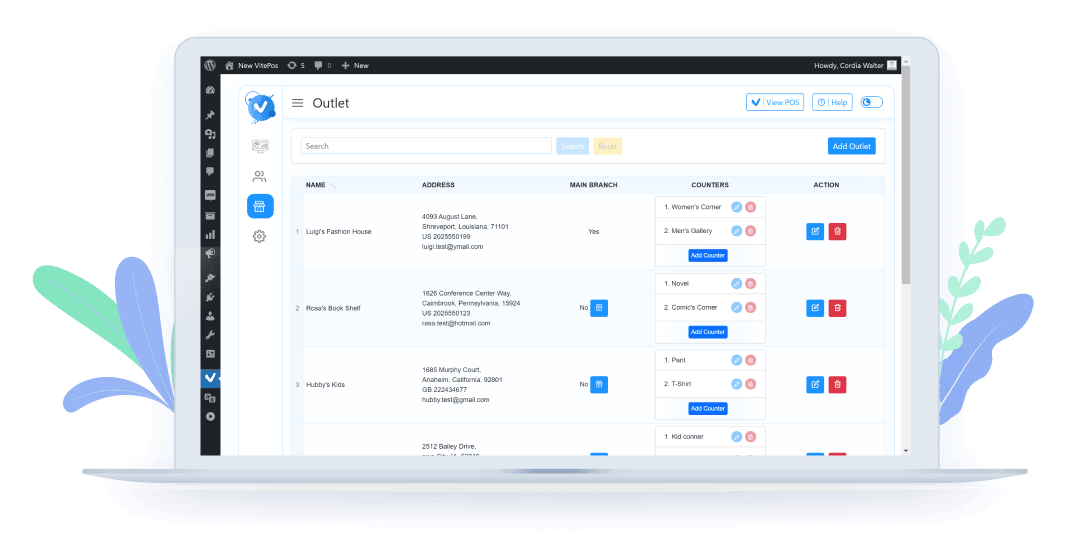
Outlet & Counter Management
Unlimited outlets & counter management with Vitepos – you could have different managers/cashiers/agents assigned to each outlet, or manage them all together.
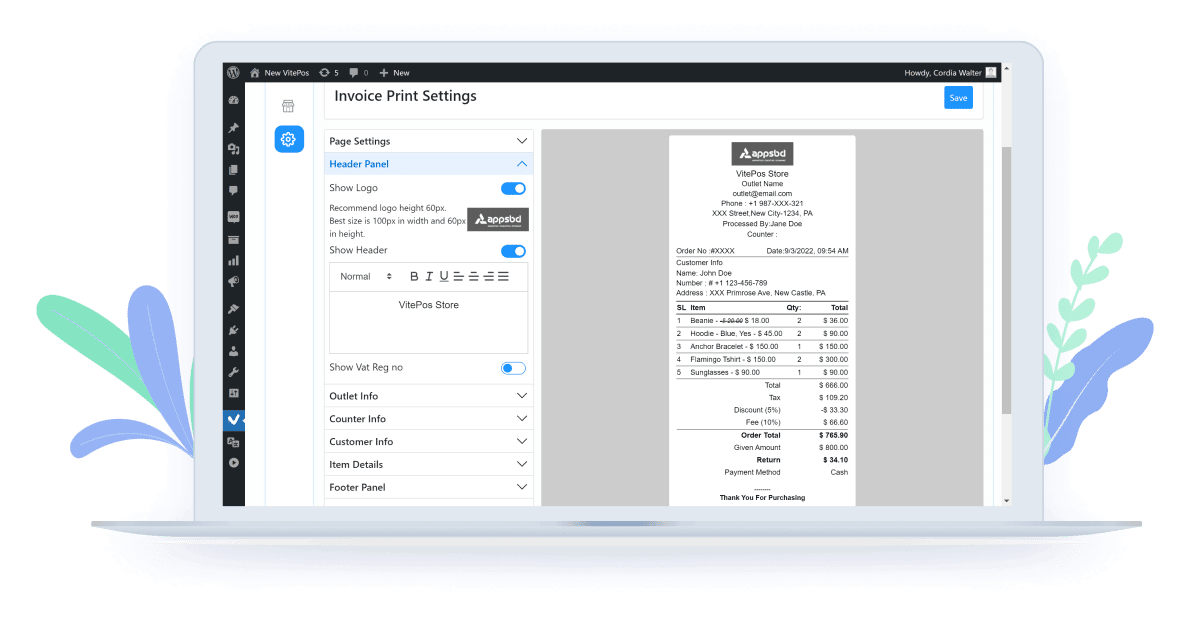
Customize Invoice Or Receipt
You can customize your invoice or receipt as you want. it has full set of control to customize. You can add your brand logo to the receipt , you can set footer greetings as you want to display .

Based On REST
API
Vitepos is a single-page application that performs every process in a super quick fashion. The unique search option lets you find desired products and customers as fast as possible.
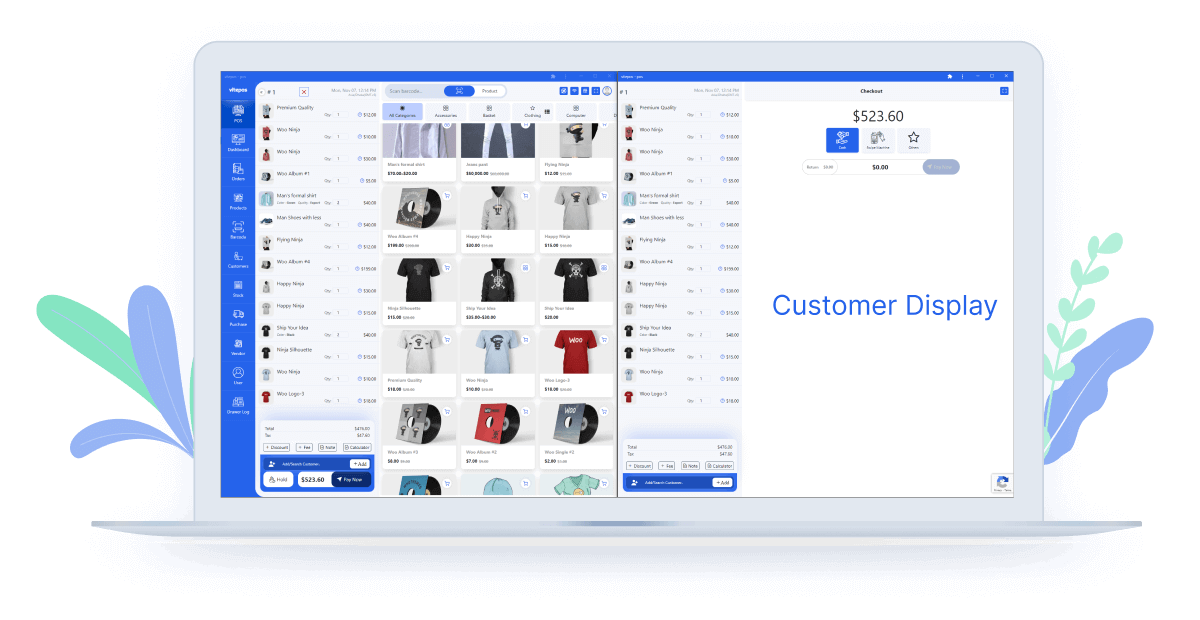
Customer Display
In customer display, customers can see all products in the cart, discounts, fees, and the total amount of cost for all products. After completing the order, it would be set empty to make a new order.

Make Favorite Product
A more Interesting feature is you can make favorite your product from our product module. Glad to mention that if you make a product favorite it will show first on the POS module.
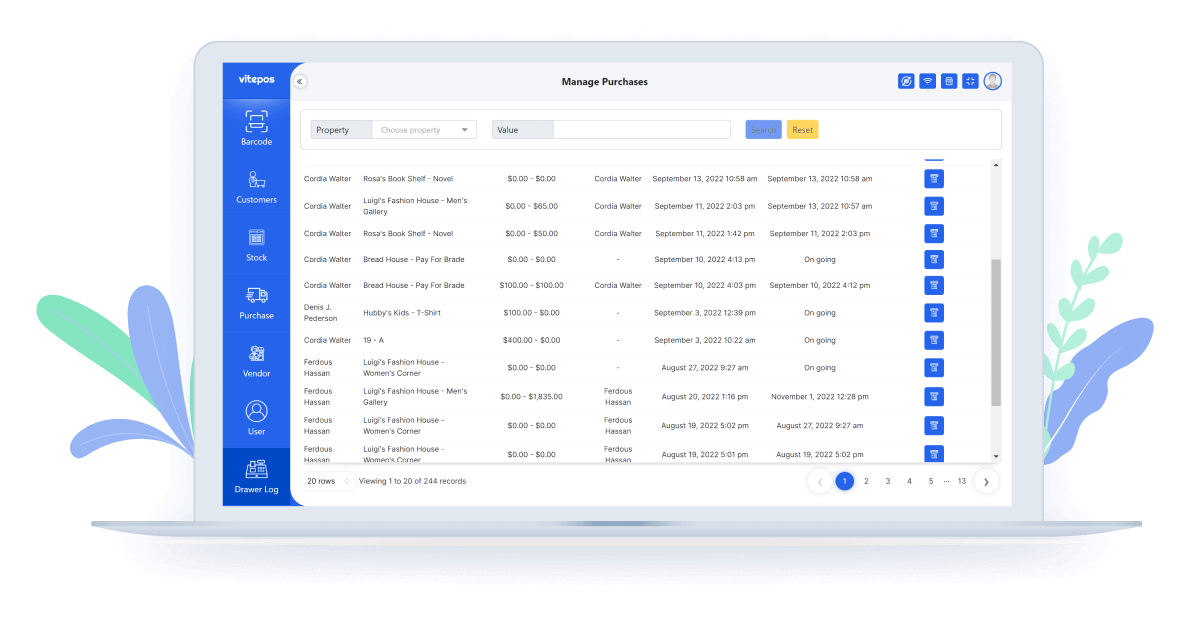
Cash drawer log
In this drawer log, you can see who opens the drawer, outlet and counter, opening and closing cash, closes by, opening and closing time, and details of that drawer which you can download also.

Set Default Customer
A customizable feature is you can set the default customer from the admin panel. If there is no customer chosen in the order then the default customer will be set on the order and it will show in the print receipt.

Online order list
If someone buys products online then that order will come into the VitePOS order panel. You will see all details about every online order also you can complete the order status from the VitePOS order panel.

Order Return/ Refund(Full/Partial)
When using the Vitepos Point of Sale (POS) system, customers can conveniently request refunds for one or multiple items from a completed transaction. Vitepos allows for full refunds and partial refunds to be issued promptly. When a customer initiates a refund, the system automatically updates the quantity of the returned products and also updates the drawer log, ensuring accurate inventory management and transaction records.

Pos Mode
In Pos Mode Settings we have three different options,we can choose only one option at a time.Options name are Grocery ,Restaurant(pay first) , Restaurant(traditional).Each Mode has different features.

Restaurant(pay first)
Customers are required to pay for their meal upfront at a designated location, typically at the cashier’s counter, before they are seated or served.

Restaurant(traditional)
In the restaurant’s traditional procedure, a waiter takes the customer’s order and sends it to the kitchen. Once the kitchen has prepared the order, the waiter is notified to serve it.After the order has been served, the cashier can process the payment.

Itemwise Interaction (Traditional)
Item-wise interaction in a restaurant means providing personalized attention and service for each menu item. This includes detailed explanations, recommendations, and customization options, enhancing the overall dining experience.

Add Item on Active Order
Adding items to an active order in a restaurant involves the process of including new menu items or dishes to an existing order that is currently being processed or prepared. This capability allows customers to modify their orders during their dining experience, ensuring flexibility and accommodating changes in preferences or requirements.

Remove Item from Active Order
Removing an item from an active order in a restaurant involves the action of excluding a menu item or dish from an existing order that is currently being processed or prepared. This functionality allows customers to make adjustments to their orders, providing flexibility to meet changing preferences or requirements during their dining experience.

Waiter Panel
Waiter can create a new order, book table, and send the order items to the kitchen. Also the waiter can cancel the order, send a message to the kitchen. After order if the item is ready to serve then the waiter can serve the order to the customers.

Kitchen Panel
In the kitchen the chef can start preparing or can deny order. If the chef deny the order then the order status will change to Denied from the kitchen. Or If the chef clicks on start preparing then the status changes to preparing. After preparing, the chef clicks on ready to serve then the order status will be Ready to serve. Kitchen Panel chefs also can send messages to waiters or deny reason to the waiter.

Cashier Panel
Cashiers can view their dashboard, order list according to different status. From the waiter panel, the waiter sends an order with the status served to the cashier. The cashier goes to the checkout and takes payment for the order and makes the order status served to complete.

Table Management
Here we can create, update, delete a table. Also here we can put the number of people who are allowed to sit at the table. Also we have the option whether the table is parcel or not.
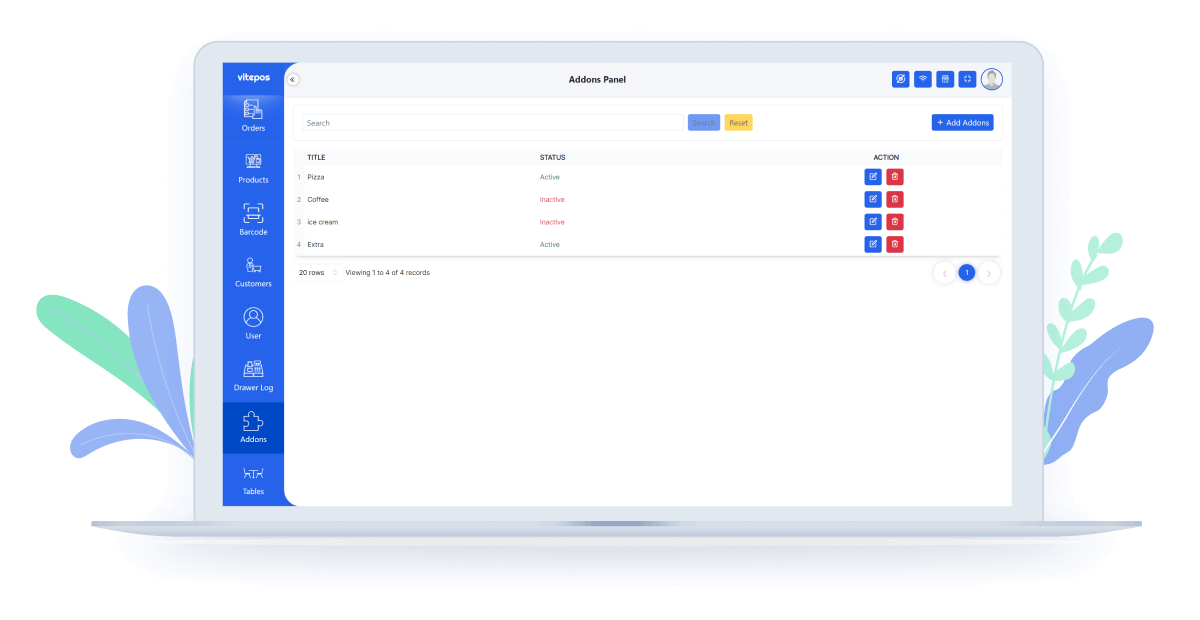
Addon Management
Add-ons essentially enable users to expand the functionalities of a host program by adding new components or extending its capabilities beyond its original design. For adding addons the product will show you extra options so that the customer can select more desired items from your restaurant.

Full Stock Management
Here Admin can manage product stock, purchase new products from vendors,transfer products from one outlet to another outlet,and also can accept/reject products from another outlet. Enabling this feature will protect order if there is no stock of the item.

WooCommerce Stock (Single Stock)
Vitepos has implemented integration with WooCommerce stock, enabling unified stock management between the website and the POS system. This means that all outlets within Vitepos now synchronize with the online stock. Whenever a product is purchased from any outlet, its quantity is automatically updated in the WooCommerce stock, ensuring accurate inventory tracking across all channels.

Outlet Wise Stock (Multi Stock)
Vitepos introduces separate stock management for each outlet. The stock in Vitepos will no longer affect the online WooCommerce stock. With this new feature, you can transfer product stock quantities from one outlet to another. Additionally, you can receive products from another outlet, and the stock quantities will be automatically updated. Detailed information about the transferred or received products is available for easy reference.

Online stock link with outlet
With this feature, the stock of the selected outlet will be utilized as the inventory for your online orders. You have the flexibility to choose any outlet for online stock management. The stock of the selected outlet will be displayed as the online stock. If you make a purchase from the selected outlet, the stock will be automatically updated online as well, ensuring accurate inventory tracking for your online store.

Transfer Online stock to outlet
If you have been using an older version or haven’t enabled the stockable feature, you now have the option to transfer your online inventory to your linked outlet. However, it’s important to note that this process will reset the stock of the WooCommerce product to zero. Please consider this before proceeding with the transfer.

Stock Transfer
We can transfer stock from one outlet to another outlet, also we can request for a stock, also accept stock requests,decline stock requests.

Stock Receive
On the stock receive tab you can see all products that have transferred to your outlet from another outlet. Here you can accept the product or deny it. If you accept then the status will change to compile but if you deny then status change to cencel.

Price update list
If somehow the purchase price increases or decreases during the purchase time then you can also update the sale price. On sale price if you check the checkbox then the product goes to the update price list. Here also you can update the product price if you want to update.

Tablewise Active On Cashier
Tablewise active on cashier implies that the cash register or point-of-sale system is currently engaged or active for a specific table in a restaurant setting. This feature facilitates efficient and organized transaction handling, allowing the cashier to manage orders and payments on a table-by-table basis.

Custome Field on Cart and Inovice
Custom fields on cart and invoice pertain to additional, tailor-made information that can be added to the shopping cart and invoice during a transaction. These fields provide flexibility for businesses to include specific details or customer preferences related to the order, enhancing the customization of both the cart and the final invoice.
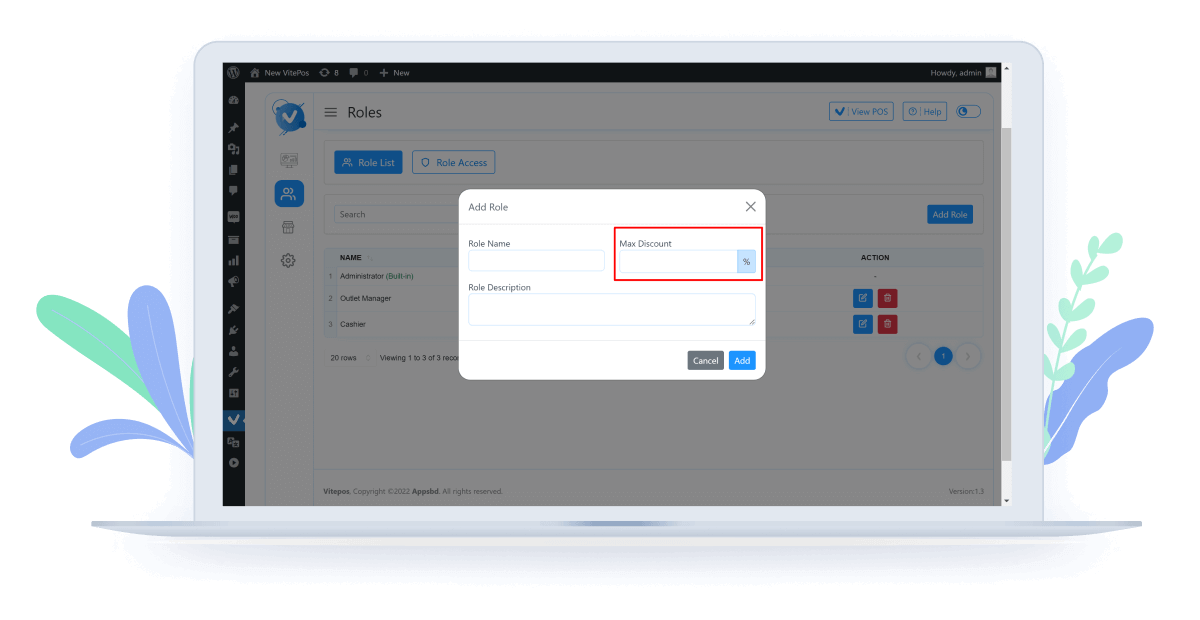
Customized Discount
A most secure feature is role-wise discount. For this feature, the admin can set a discount as a percentage for every role without admin.

Payment Settings
Here we get the options to turn off payment getaways. If we disable the swipe machine then it will turn off from the checkout page. From this way also you can disable the other and the stripe payment method.

Stripe Payment Method
For the stripe payment method we have to set up the stripe setting. Go to the stripe setting tab where you have to give the Publishable key and secret key.
You will get that information from the stripe website.

Stripe Terminal
Stripe Terminal Payment is a feature that enables businesses to accept in-person payments using Stripe’s point-of-sale hardware. With Stripe Terminal, you can securely process card payments via card readers, all while integrating seamlessly with your existing POS system like Vitepos.

Custom Payment
With Vitepos, you can configure a custom payment method to suit your specific business needs, whether it’s bank transfers, mobile banking, or third-party payment providers. On this method, you have to take payment manually.

Support Vite-Coupon

Add Custom Page On Barcode
You can customize your barcode page as you want. Most convenient features are come here. There are select barcode or QR code, can give page title, page height, page width, margin and padding. Also you can also customize font size, barcode container size, barcode width, and height, page break.

Messaging & Chatting
With this feature, users have the ability to communicate with each other, allowing waiters, chefs, cashiers, and admins to send messages to one another at any time.

Push Setting
Using Pusher is optional. If you choose to use it, it can provide real-time updates for stock and order status, as well as messaging. It will enhance your user experience.

Change Purchase price when add stock
You can add purchase price while adding stock. If somehow the purchase price increases or decreases during the purchase time you can also update the sale price and purchase price from there. You can also enlist the product to a sale price update list, and someone with product sale price update permission can change the price later.

Custom Fields
Custom fields are the most important feature. Because when you want to take payment or something else like you need to know the specific information from your customer or user then you can add custom fields. That is why Vitepos added a custom field option. Now you can add any type of field on the customer add and user add from.

Deny Reason Messages
Admin can add a Deny Reason Message for the chef in the kitchen. If the waiter makes an order and the chef deny the order then the chef also mentions the reason. When Chef deny the order then he has to select the reason which the admin created on the admin panel.

Customer Form Customization
Customer form customization involves tailoring and adjusting the fields and layout of a customer form to meet specific business requirements. This customization allows businesses to gather and organize information from customers in a way that aligns with their unique needs and processes.

Send Email To Cahier/Process by
Sending an email to the cashier or processing by email involves the action of forwarding relevant information, notifications, or updates to the cashier responsible for a particular transaction or process. This communication method helps streamline coordination and ensures that the necessary personnel are informed promptly.

Close Any Drawer Option
The ‘Close Any Drawer’ option refers to the functionality that allows users to securely and formally shut down or close any open cash drawer within a business setting. This action is typically performed at the end of a shift or business day for accounting and security purposes.

Separate Tax
Previously we showed only the total tax on the invoice. But on the print setting you get a new option to enable the separate tax. Enabling this option on invoice you can see which tax you get for the product.

Send Email To Customer
Enabling this feature, customers will get an email after completing the order. If a new customer adds a POS then the customer will get a welcome mail. Also if you set a temporary password for your staff / user then he also will get a mail.

Product status
If you want you to see only published products then select publish, otherwise you can also select only private to see only private products. But if you want to see the published and private products at the same time then select them both.

Shortcut Messages
Here Admin can create, read, update, delete various shortcut messages, later this shortcut message can be used on waiter, chaff, cashier and admin’s communication.

Tax Calculation Methods
Here we have two options. One is calculate tax before discounts and fees. Tax calculation is based on the subtotal of the purchase. Discounts and fees will be added after the tax calculation. Another is calculate tax after discounts and fees. First, It calculate the subtotal including any discounts and fees, and then it apply the tax based on the discounted price.

Add Barcode/ QR-Code On Order Invoice
Vitepos Invoice now offers enhanced customization options, including the ability to add barcodes or QR codes to order invoices. These codes can be placed in the header or footer sections as per your preference. With this feature, scanning the barcode or QR code allows for quick and efficient retrieval of the corresponding order. This streamlined process saves valuable time by swiftly locating the desired order, ensuring fast and efficient order management.

Single Cash Drawer

Multiple Cash Drawer

Default Order Status
The Default Order Statuses are Complete, Pending Payment, Processing, and Hold. Complete means the order is finished and delivered. Pending Payment means the order is received but not yet paid for. Processing means the order is paid and being prepared. Hold means the order is paused and needs further action to continue. Also If the order is not complete then you can change it from Order Module.

Price customization
Vitepos allows you to adjust item prices directly in the cart for discounts or special offers. Simply add items to the cart, click the price edit icon, and modify the price as needed. This streamlined process makes managing prices easy.

Show All outlet product stocks feature
In Vitepos, you can view the stock levels of products across all outlets to manage inventory efficiently. Simply navigate to the Stock module to see the stock availability in different outlate locations.

Using a camera for scanning barcodes
Barcode scanning for POS with a camera uses a device’s camera to read and decode barcodes, eliminating the need for additional hardware. The software reads the barcode, looks up the product, and completes the sale, offering ease, flexibility, and cost-effectiveness.

Keyborad control in calculator
Vitepos includes keyboard control for the calculator, allowing you to perform calculations quickly and efficiently using your keyboard, enhancing ease of use and productivity.

Set the new product batch duration
In Vitepos, you can set the batch duration for new products, allowing you to notifying new product batches effectively and ensure that the product is new.

Display Product Per Row
In Vitepos, you can customize the display of products per row, which allows you to adjust how many products are shown horizontally in lists or grids. This feature helps optimize the layout and viewing experience based on your store’s preferences and screen size.

Add or Set User in Outlet
In Vitepos, you can add or set users for specific outlets, allowing you to manage staff access and responsibilities efficiently. This feature ensures that each outlet has designated users with appropriate permissions for smooth operations and security.

Silent Print
Vitepos offers a Silent Print feature, allowing receipts and invoices to be printed automatically without displaying the print dialog. This streamlines the checkout process, saving time and enhancing customer service efficiency.

Generate Barcode with Logo, Shop name and Price
In Vitepos, you can generate barcodes that include your shop’s logo, name, and price. This feature enables you to create customized barcodes that reflect your branding and product information, enhancing visual identification and customer engagement at the point of sale.

Create Desktop App
Vitepos allows you to create a desktop app, providing a dedicated, standalone application for managing your point-of-sale operations. This enhances accessibility and performance, ensuring a seamless and efficient user experience.

All Browser Support
Vitepos supports all major web browsers, ensuring compatibility and a seamless user experience regardless of your preferred browser. This feature provides flexibility and accessibility across different devices and platforms.

Hide On POS
Allows you to control which products are visible on the Point of Sale interface. This ensures only relevant items appear during transactions, helping streamline operations and reduce clutter for a smoother checkout experience. Perfect for managing inventory efficiently!

Sound Setting on Restaurent

View Product Stock
Allows retail businesses to monitor and manage inventory levels in real-time. You can quickly check the availability of products or menu items, track stock movements, and receive alerts when items are running low. This feature helps you stay on top of stock levels, prevent over-selling, and ensure a smooth, efficient operation.

Vitepos Reporting
Vitepos Reporting offers key business insights: The Dashboard shows real-time sales and trends, Daily Sales tracks transactions, Products monitors stock and top sellers, Customers analyzes buying habits, and Staff reviews performance—all in one place for smarter decisions.

Vitepos Token System

Table QR/Barcode
Table QR/Barcode Generator simplifies order management by creating unique scannable codes for each table. Customers can easily scan to view menus, place orders, or call staff, reducing wait times while improving service efficiency – perfect for restaurants and cafes.

Sync Setting of Products and Orders
Vitepos Sync Settings now lets you customize sync schedules – set specific times for automatic order and product updates across all branches. Control when your menu changes, pricing updates, and order data synchronize for optimized performance during off-peak hours.

Vitepos User App
The Vitepos User App is a addon built for customers of stores and restaurants using Vitepos. They can browse products, place dine-in, pickup, or delivery orders, and even use coupons or rewards. Every order is instantly synced with the Vitepos POS dashboard, so staff can process and fulfill it in real time.

Vitepos Kiosk App
The Vitepos Kiosk App is a self-service ordering system addon for restaurants, cafes, fast food shops, grocery stores, and retail outlets. Customers can use a tablet or touchscreen to browse products, place orders, and pay instantly. All orders sync in real time with the Vitepos POS system for staff to process and fulfil

Waiter Tips
The Tips feature in Vitepos allows businesses—especially restaurants, cafes, and bars—to collect optional gratuities from customers during checkout. It ensures that waiters or service staff can receive tips smoothly, whether the customer pays by cash, card, or online payment.

Import Role Access from WordPress

Round Up Transaction Totals
The Round Up Transaction Totals feature allows businesses to automatically round the final bill amount to the nearest whole number. This makes cash handling easier and speeds up checkout, especially for small change management.

Wallee payment Terminal

Restaurent Basic Mode

WooCommerce Payment

Product Category Module

Product Attribute Module
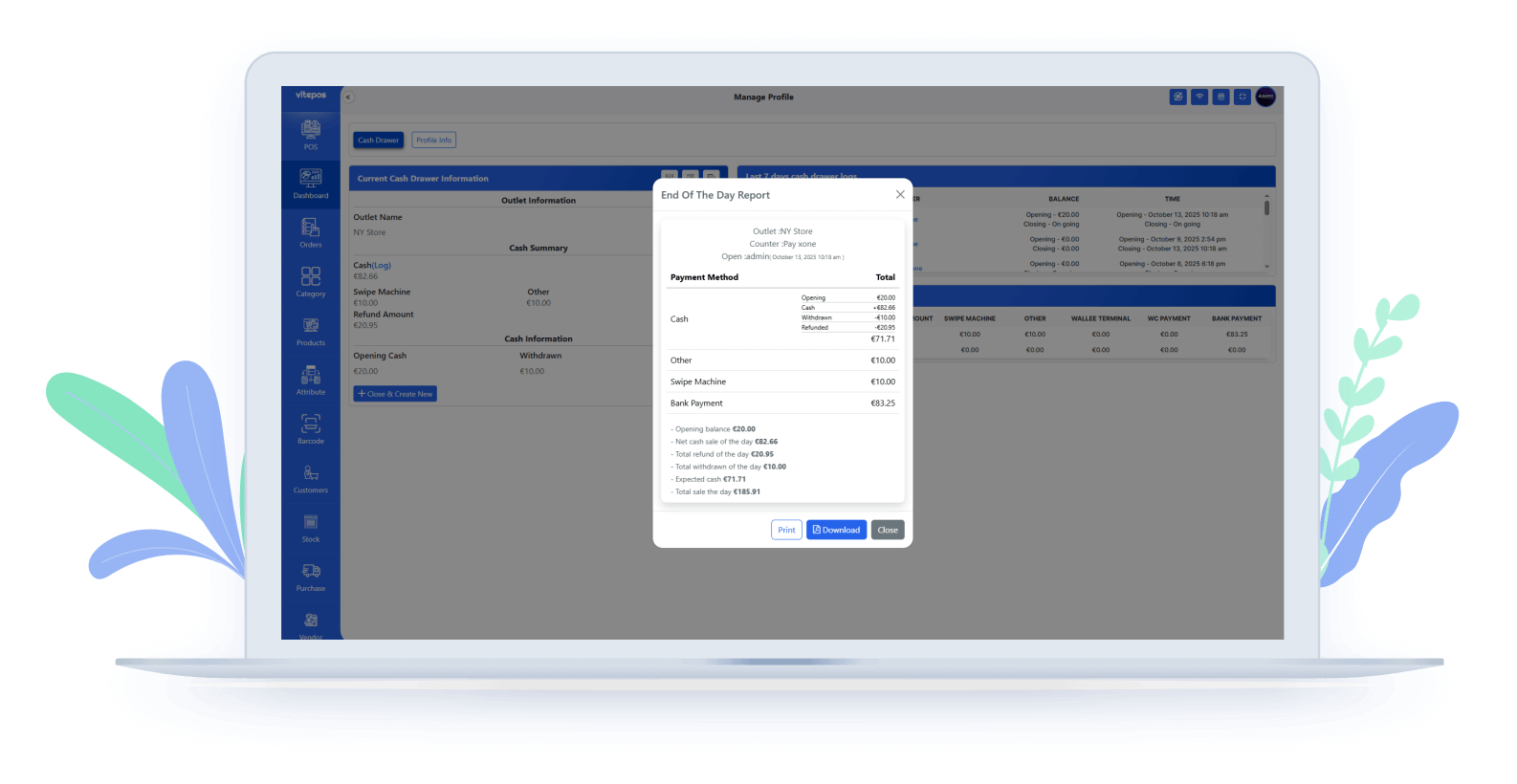
End Of The Day (EOD) Report
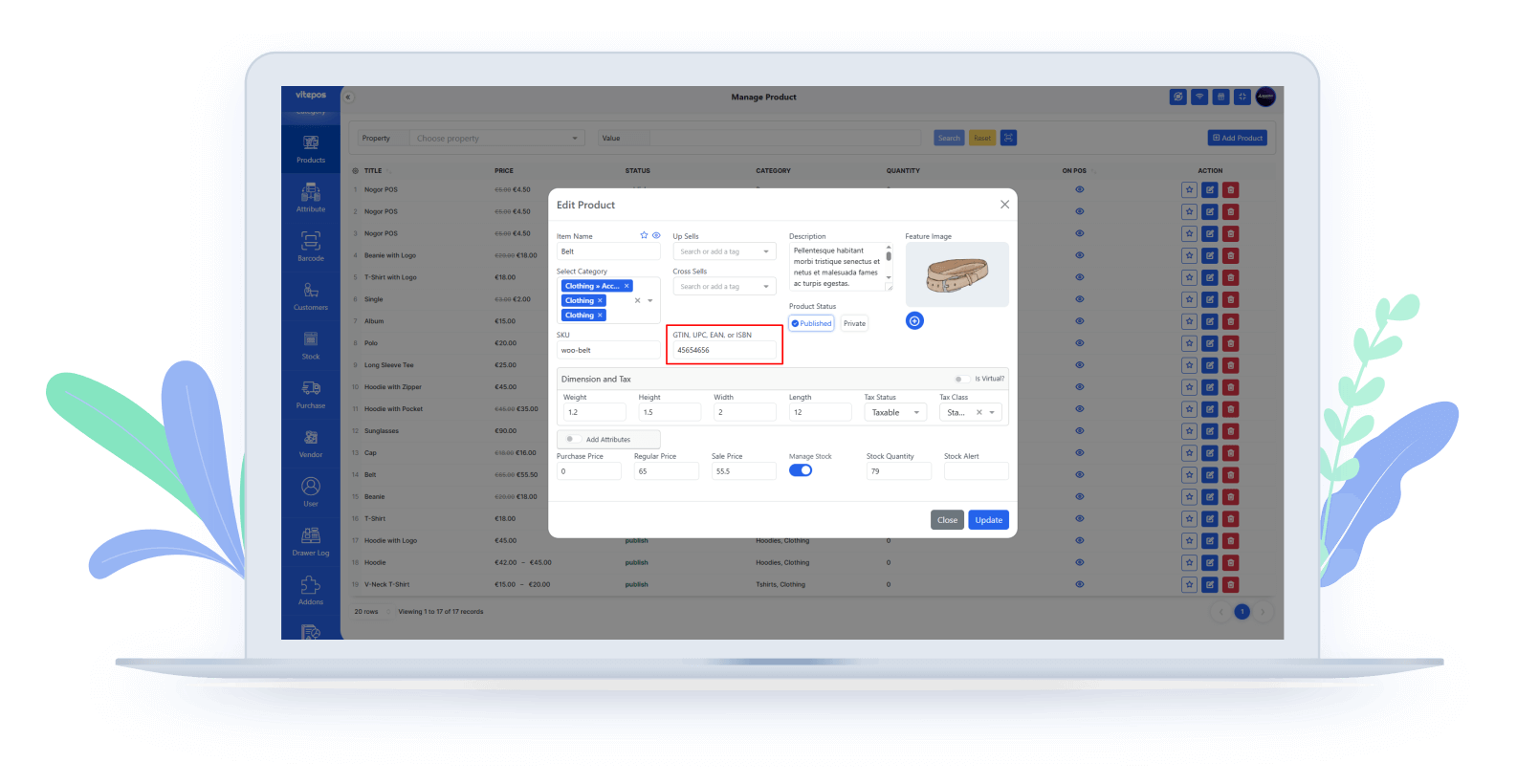
Supports Woo GTIN, UPC, EAN, & ISBN
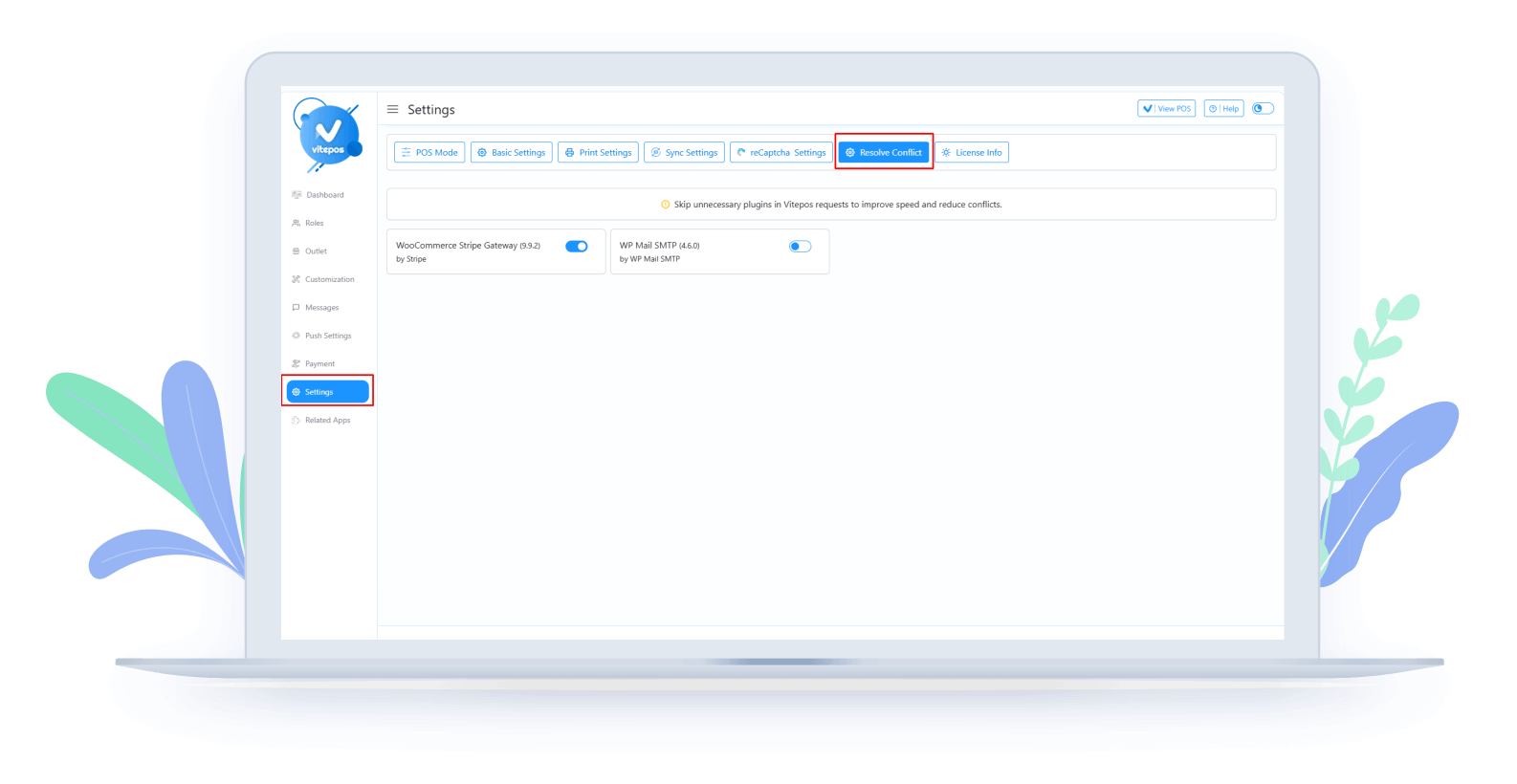
Plugin Conflict Resolution
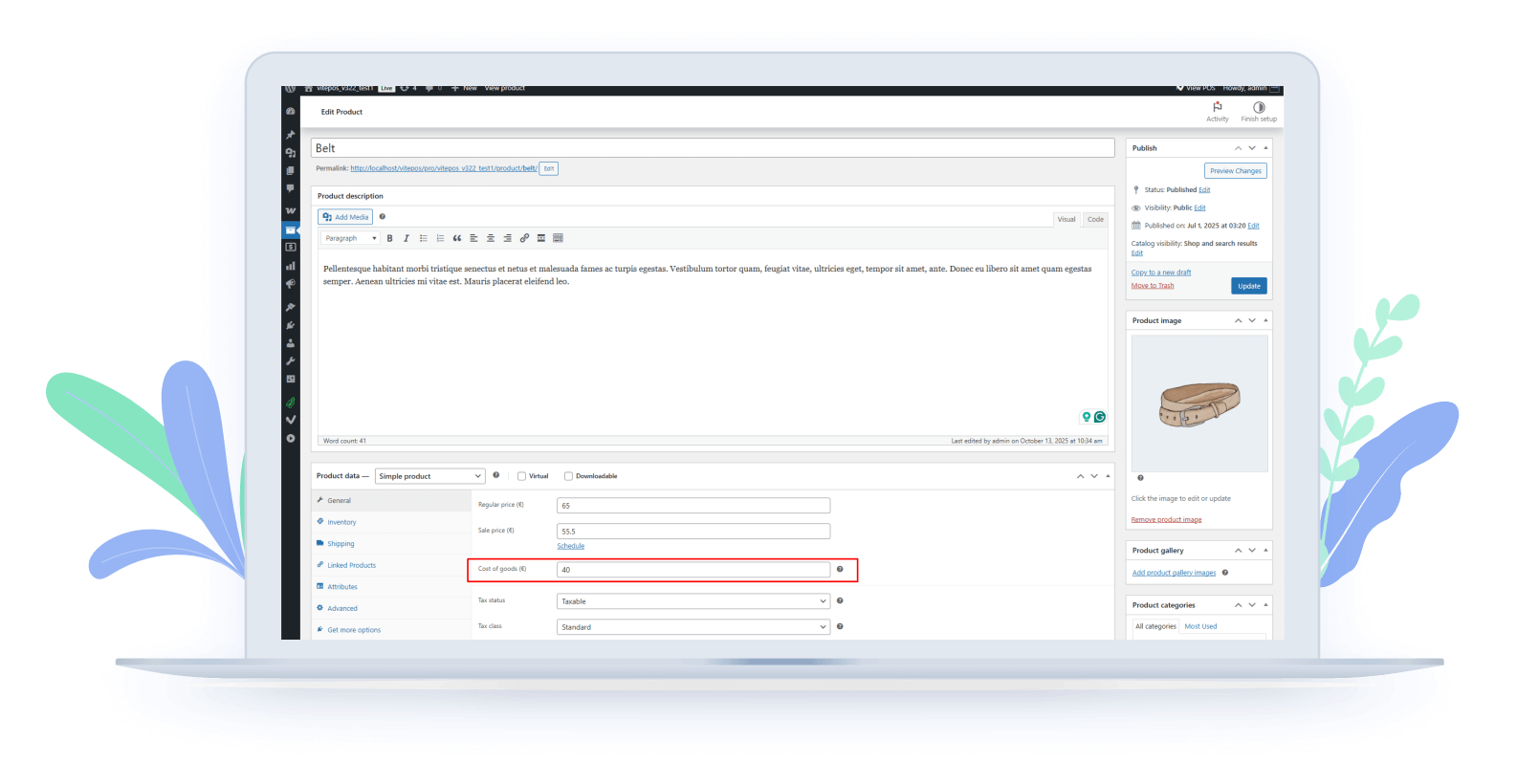
WooCommerce Cost of Goods Integration